AI Analyse
Know which conversations matter, in one press
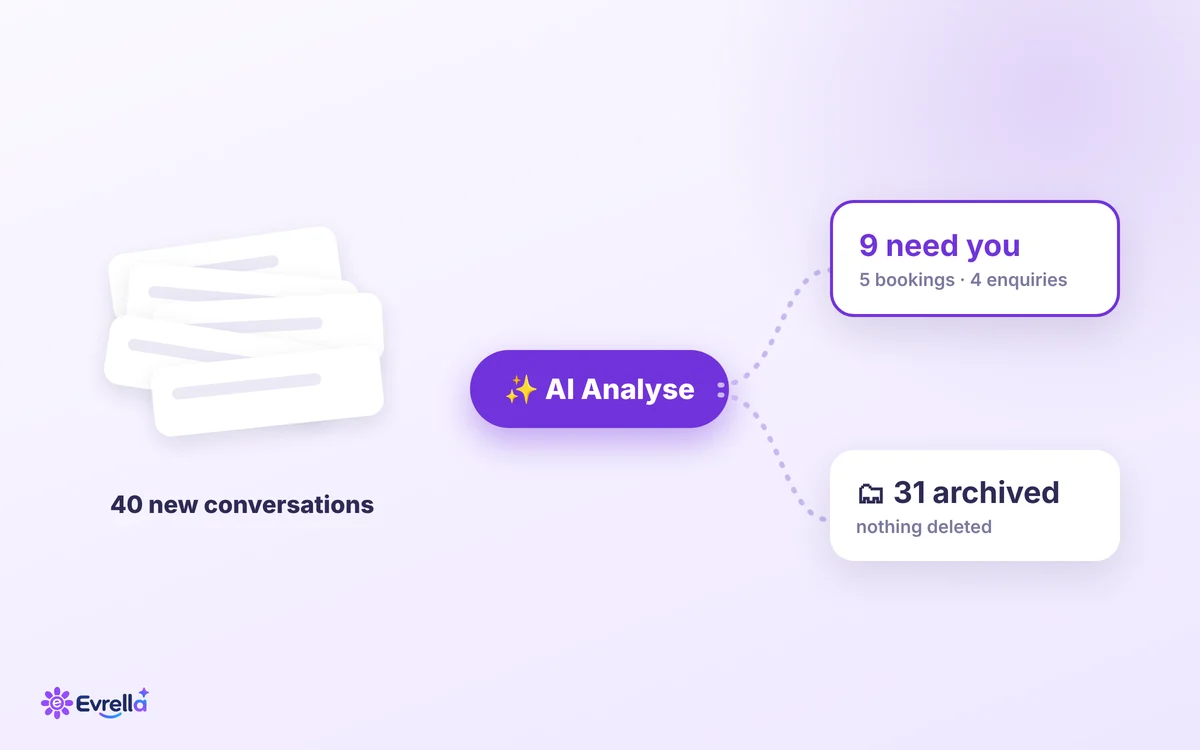
Come back to fifty chats and find the five that need you. Press AI Analyse in your Conversations inbox: Evrella reads every conversation that has gone quiet, from your website, WhatsApp and phone, archives the ones that need nothing from you and sums up the rest.
Who it’s for
Fifty chats waiting, and five that need you
For the busy owner who comes back to a full inbox. Evrella answers on your website, on WhatsApp and on the phone while you work, so the conversations pile up. Most need nothing more from you. The few that do are somewhere in the pile.
Without it: transcripts
Every conversation, newest first, each one to open and read to find out whether it matters: the hellos and the tests, the small talk, the questions she answered in full, and somewhere among them the enquiry you were waiting for.
With AI Analyse: a briefing
What needs nothing from you is archived. Each conversation left has a short summary and a topic, and one overview tells you what customers are asking about and what to follow up.
How it works
Press it once, and Evrella does the reading
AI Analyse is a button in the Conversations inbox of your Evrella console.
- 1
Press AI Analyse
It reads every conversation that has gone quiet, with no message for 30 minutes: website chat, WhatsApp and phone calls alike, across your business’s whole history.
- 2
What needs nothing from you is archived
Greetings and tests, small talk, spam, a routine question Evrella answered in full. Archived, never deleted: each one is under Archived, and Restore brings it back.
- 3
What matters is summed up
Each conversation worth reading gets a summary of two to four sentences and a topic, and you get one overview of everything still in your inbox.
Or let it keep going
Switch on “Also analyse new conversations every hour” and your inbox keeps itself tidy.
No surprises
What it never archives
AI Analyse archives only a conversation that needs nothing from you. These stay in your inbox, every time:
- An enquiry: a lead from someone who left their details
- A booking
- A conversation your team replied to
- One you pinned
- One with notes, a title or someone assigned
- One handed to a person
Archived is not deleted
Every conversation it archives is under Archived, with a badge, and Restore brings it back. A conversation you restore is never archived by it again.
What you get
Your inbox, read like a briefing
Instead of fifty transcripts: the conversations worth reading, each one summed up, and one overview of them all.
A summary on each conversation
Two to four sentences on every conversation worth reading, so you know what it is about before you open it.
A topic on each one
Enquiry, booking, support, complaint, information or feedback.
One overview of your inbox
What customers are asking about, and how many conversations there are of each topic, across everything still in your inbox.
Suggested follow-ups
A short list of what to do next.
Needs your attention
The conversations to look at first, and each one opens with a click.
In your language, with nobody’s details
Summaries are written in your business’s own language, and they never copy a person’s name, email address, phone number or postal address.
 Evrella console
See which conversations need you
AI Analyse is in the Conversations inbox of the Evrella console.
Already with Evrella? Sign in and press it. New to Evrella? Start on your website today, 30 days free.